
The Quick Answer: Research First, Action Later
The best AI browser for research is not the most autonomous one. It is the one that turns a question into a defensible brief while showing which pages and passages support each point.
Separate discovery from decision. Let the browser search, open related pages, group tabs, and suggest questions; then check originals, dates, definitions, and what belongs in the final note.
Start with public, low-risk research such as comparisons, documentation, planning, or background reading. Delay private email, downloads, payments, and account changes until you understand data boundaries and approvals.
What Counts as an AI Browser for Research?
AI browser for research can mean a page assistant, a multi-source workspace, or an agentic browser that prepares actions. They need different tests: summaries need context, while agents also need permission and recovery controls.
Check four capabilities: context across relevant pages, comparison of agreement and conflict, evidence through links or passages, and control to pause, correct, reset, or reject actions before they leave the session.
A chat tab is not always an AI browser: it may not share tab context, browsing state, or your chosen source. That boundary determines what the assistant can read.
Compare AI Browsers by Research Capability, Not Hype
Use the same small test for every option: find two primary sources, summarize a disagreement, preserve URLs, and state what could not be verified. This tests context and honesty better than a feature list.
The table separates research value from action power.
| Capability | What to test | Good signal | Warning sign |
|---|---|---|---|
| Context | Give it three related pages | It names which page supports each point | It blends pages without attribution |
| Comparison | Ask for agreement and conflict | It shows different dates or definitions | It forces one confident answer |
| Evidence | Request links and source passages | The path back to the original is easy | Citations are missing or decorative |
| Control | Ask it to prepare but not submit | A clear review step appears | It moves directly to an external action |
| Recovery | Correct one wrong assumption | It revises the brief and keeps the trail | You must restart with no explanation |
A Repeatable AI Browser Research Workflow
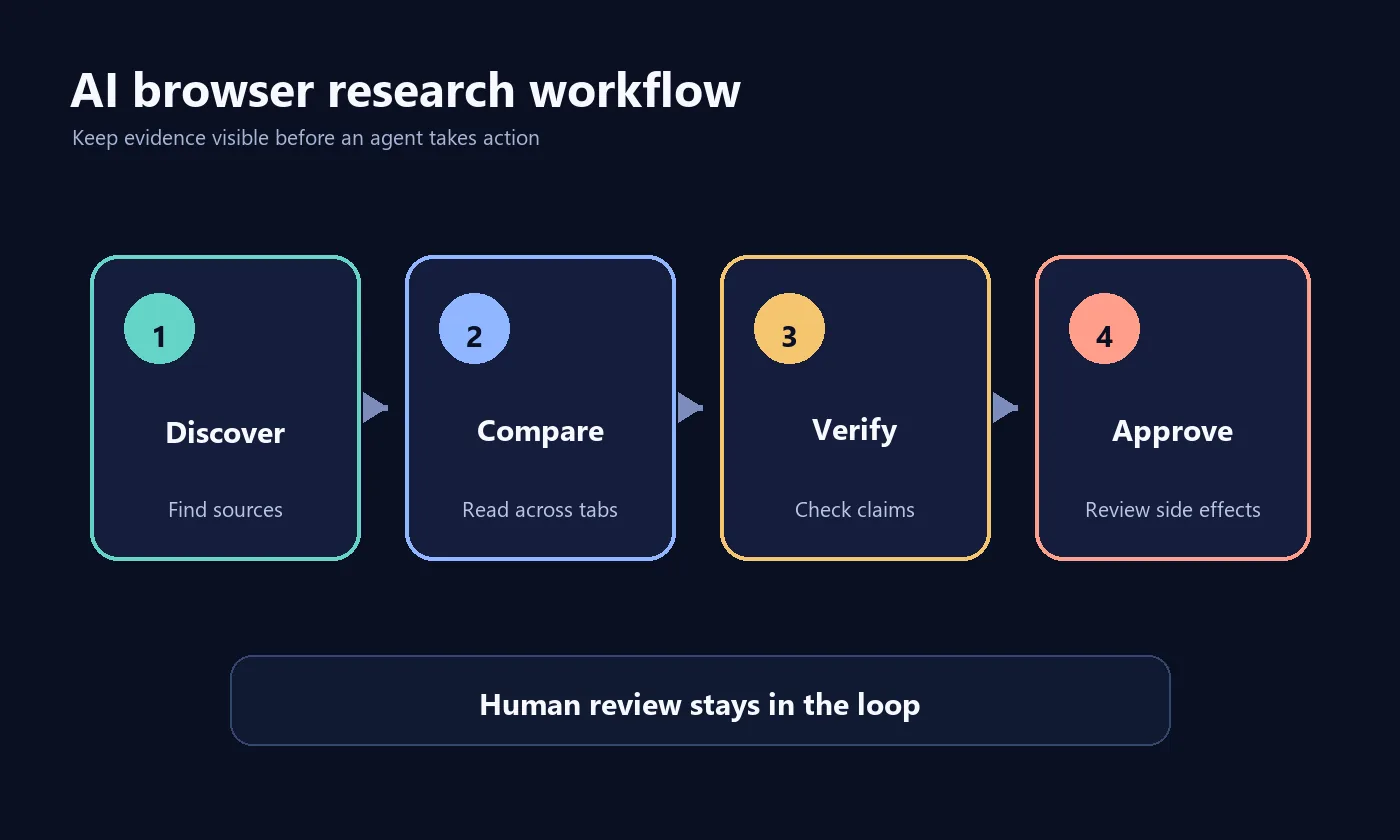
Define a clear output—a comparison table, constraints list, or decision memo—and ask the browser to show its work in stages rather than produce one polished paragraph.
The same checkpoints work for page assistants, research workspaces, and agents; if they are hidden, keep the task low-risk and verify manually.
- 1. Frame the questionDefine the decision, audience, date boundary, and useful-source standard. A narrow question is easier to check than a request to research everything.
- 2. Discover sourcesAsk for primary documentation, official announcements, and independent context. Keep discovered pages separate from the generated summary.
- 3. Compare claimsGroup agreements, disagreements, missing details, and date differences. Require a quote or link before accepting a conclusion.
- 4. Verify the briefOpen important originals. Check names, dates, numbers, conditions, and whether a feature is planned, beta, or currently available.
- 5. Approve the outputAfter checking evidence, share the brief or prepare a low-risk next step. Keep publishing, purchases, downloads, and account changes behind human review.
How to Check Source Quality and Citations
A citation matters only when it supports the exact claim and is current enough. Identify whether it is official documentation, a standard, an independent test, a dataset, or opinion.
Use source roles: documentation for behavior, release notes for dates, independent tests for limits, and community reports as leads to verify. Label facts separately from the model's inference.
For important purchases, security decisions, or public claims, keep the original link beside the statement and record the check date.
Privacy and Permission Boundaries Matter More in Research
Research tabs may expose projects, customers, messages, dashboards, or history. An AI browser may also read page text, screenshots, clipboard, files, or memory; decide which inputs are allowed before testing.
Use a clean profile for public research. Separate private accounts and customer data, review extension permissions and retention, and check whether page content is sent to a remote service.
Use least privilege. Give the browser only needed pages and actions, disable memory when unnecessary, and review every download, submission, account change, or publication before approval.
How to Choose an AI Browser for Your Research
Choose the smallest capability that fits: page assistants for long reading, workspaces for source comparison and notes, and agents only when navigation or repeated actions justify stronger review controls.
Trial it on a public topic you know. Provide three pages with one disagreement, request a source-linked summary, change a constraint, and see whether it revises the evidence and marks uncertainty.
Test recovery by removing a source or giving an ambiguous instruction. A trustworthy workflow returns a partial result, explains the gap, and avoids invented citations.
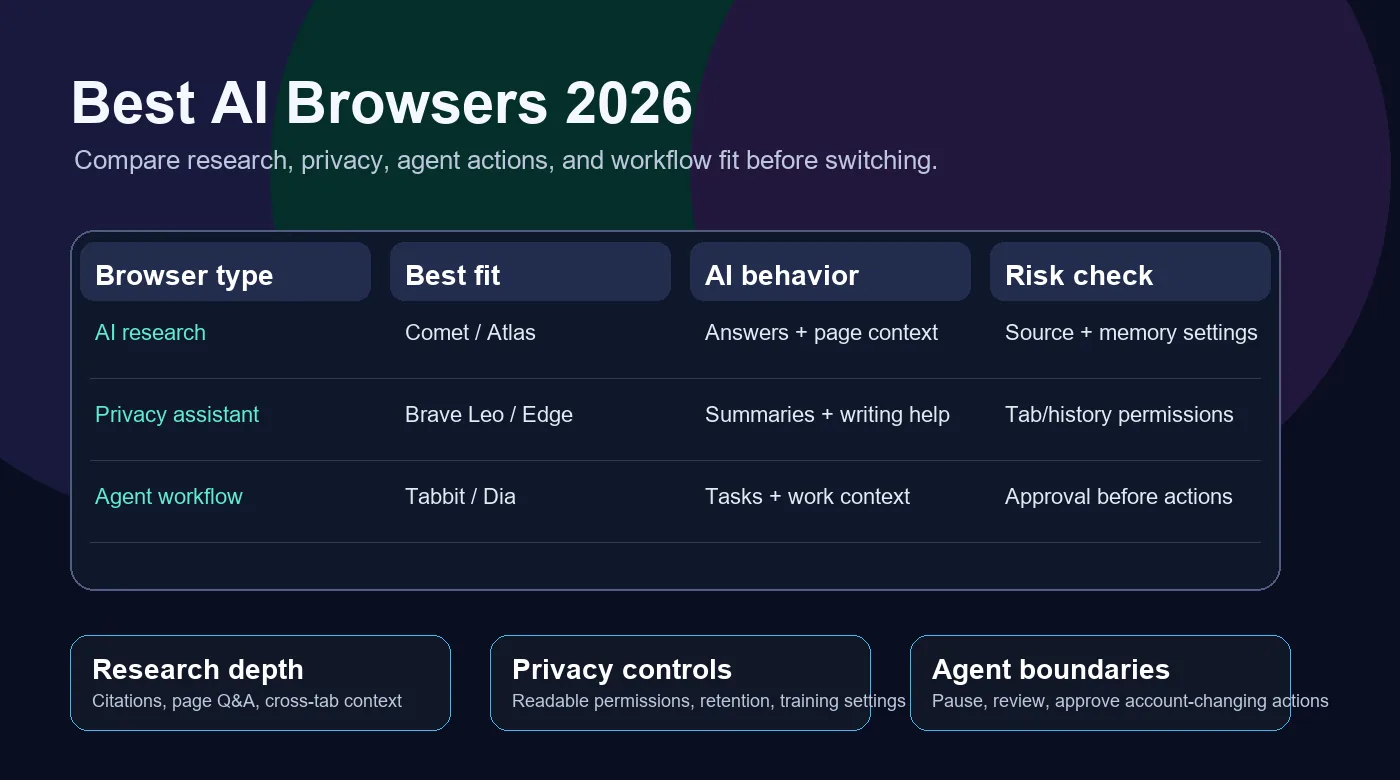
Compare broad AI browser options
Separate research assistants, privacy helpers, and agent workflows.
Compare agentic browser choices
Use this guide when research may expand into delegated browser tasks.
Decide between an agent and automation
Use automation for stable steps and agents when context or judgment changes.
Common Mistakes and Limits to Expect
Do not request a final answer before defining the evidence standard. Speed does not prevent mistakes about scope, dates, identity, or source support; more autonomy can also add risk from page instructions and stale assumptions.
Coverage varies across PDFs, paywalls, dashboards, non-English sources, and automation-blocking pages. Ask what was inaccessible or skipped; five links do not prove a balanced review.
Use AI browser research to reduce repetitive reading, then keep a source log, final URLs, check date, and unresolved questions for later review.
AI Browser for Research FAQ
Practical answers for choosing and testing a research-focused AI browser.
What is an AI browser for research?
It is a browser or assistant that helps discover, read, compare, summarize, and organize web sources while keeping original pages and evidence visible.
Can an AI browser replace a search engine?
Not completely. It can speed discovery and comparison, but coverage and source selection vary. Build a source set, then verify important claims on original pages.
Which features matter most for research?
Prioritize multi-page context, source links, passage-level evidence, uncertainty, notes or export, session separation, and review before external actions.
Is it safe to use an AI browser with private research?
Only after checking access, retention, training, permissions, memory, and account boundaries. A clean public-research profile is safer than one with private or production data.
How do I test whether an AI browser cites sources accurately?
Give it public pages with a deliberate disagreement. Require source passages, unresolved points, and a revision after correction; check the links yourself.
Should I use an AI browser or traditional automation?
Use an AI browser for changing context or synthesis; use traditional automation for stable, deterministic steps. A hybrid often works best.
Official Sources to Recheck
Features and privacy controls change quickly. Recheck official documentation before relying on a current claim.
- Perplexity Comet — Recheck current research and browsing capabilities.
- ChatGPT Atlas help — Recheck browser context and account controls.
- Brave Leo — Compare a privacy-oriented browser assistant.
- Chrome AI documentation — Review current browser AI capabilities and boundaries.
- Sigma Browser — Compare another AI-native browser workflow.