AI 에이전트 브라우저 비교
2026년 AI 에이전트 브라우저: 작업·보안·활용도 비교
페이지를 이해하고 여러 단계의 작업을 돕는 브라우저를 비교합니다. 제품에 붙은 이름만 보지 말고 실제 업무, 페이지 접근 권한, 승인 절차, 실행 취소와 복구 방법을 함께 확인하세요.
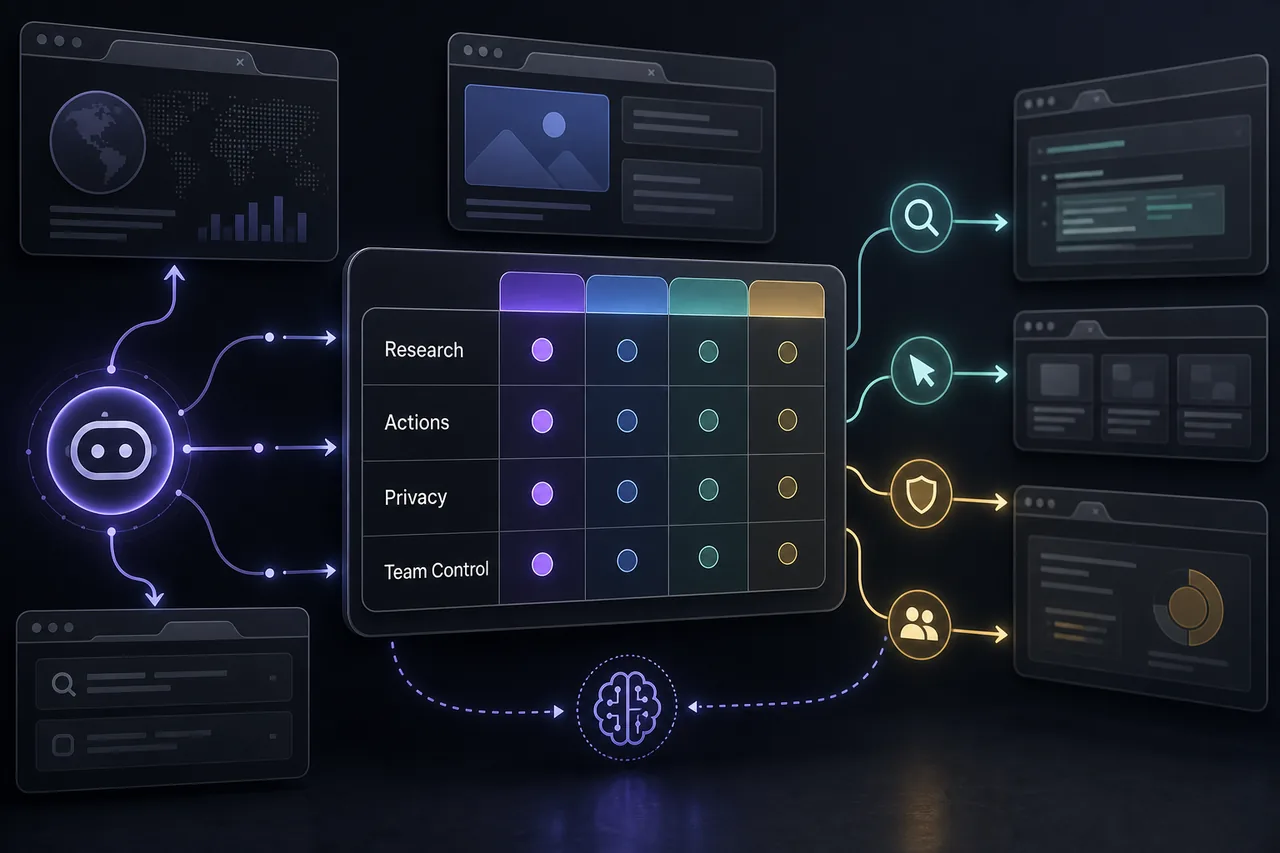
어떤 AI 에이전트 브라우저를 선택해야 하나요?
AI 에이전트 브라우저를 고를 때는 페이지 이해 능력과 사용자가 확인할 수 있는 승인 절차를 같이 봅니다. Perplexity Comet은 조사와 출처 비교에 맞고 ChatGPT Atlas는 이미 ChatGPT를 자주 쓰는 사람에게 자연스럽습니다. Dia는 탭, 글쓰기, 작업 맥락을 중시합니다. 지역별 제공 여부는 공식 안내에서 확인하세요.
페이지를 빨리 읽는 것을 넘어 브라우저 작업을 맡기려면 Tabbit Browser도 후보가 될 수 있습니다. AI 브라우징, 백그라운드 작업, 자연어 자동화를 지원하는 방향을 제시합니다. 내 업무에서 실제로 필요한 기능인지 비교하고 현재 제한과 승인 조건을 확인하세요.
클릭 기능만으로 브라우저를 고르지 마세요. 어떤 페이지를 읽을 수 있는지, 데이터가 저장되는지, 언제 승인을 요청하는지, 작업 기록과 취소 방법이 있는지 확인합니다. 보조와 위임의 차이, 개인 계정을 분리할 수 있는지가 실제 적합성을 결정합니다.
제품을 비교하기 전에 먼저 실제로 처리할 작업을 정하세요. 공개 웹페이지를 조사한다면 브라우저가 여러 출처를 비교하고 각 설명을 원문으로 연결할 수 있는지 확인합니다. 사이트가 여러 개라면 원래 주소, 확인 날짜와 요금 조건을 결과에 함께 남겨야 합니다. 그래야 서로 다른 지역이나 요금제를 같은 조건으로 잘못 비교하는 일을 줄일 수 있습니다.
권한은 한꺼번에 부여하지 말고 단계별로 시험하세요. 공개 페이지 읽기와 검색부터 시작한 다음, 양식 입력, 파일 다운로드, 로그인 계정 사용을 각각 확인합니다. 구매나 메시지 전송, 계정 설정 변경은 사용자가 승인하기 전까지 멈춰야 합니다. 작업이 중단된 뒤 어떤 단계가 끝났는지 확인할 수 있는지, 되돌릴 수 있는 변경이 무엇인지도 살펴보세요. 마지막으로 공식 문서에서 지원 지역, 데이터 보관 기간과 학습 사용 여부를 최신 상태로 확인합니다.
제품 설명에 적힌 기능이 실제 계정과 지역에서 제공되는지도 따로 확인해야 합니다. 무료 체험이나 데모가 있다면 민감한 계정 대신 테스트용 페이지에서 진행하고, 예상하지 못한 동작이 나타났을 때 즉시 멈출 방법을 준비합니다. 비교 결과에는 확인한 사실과 아직 알 수 없는 항목을 구분해 적고, 출처가 없는 주장이나 추정치는 결론으로 제시하지 마세요. 이런 기준은 편의성과 안전성을 함께 비교하는 데 도움이 됩니다.
비교 기록에는 각 기능을 어떤 조건에서 확인했는지도 남기세요. 공개 페이지를 읽는 결과와 로그인 계정에서 수행하는 작업은 같은 위험 수준이 아닙니다. 테스트에서는 브라우저가 요청한 범위만 읽는지, 잘못된 값을 발견했을 때 멈추는지, 중요한 변경 전에 승인을 요청하는지 확인합니다. 출처 링크와 확인 날짜를 함께 보관하면 나중에 설명이 바뀌었을 때 어떤 근거를 다시 살펴봐야 하는지 알 수 있습니다. 확인하지 못한 기능은 추측으로 채우지 말고 미확인으로 표시하세요.
AI 에이전트 브라우저 비교
페이지를 읽고 요약하는 기능과 여러 단계를 실행하는 기능을 구분했습니다. 제공 지역, 제한, 개인정보 설정은 바뀔 수 있으므로 민감한 계정을 연결하기 전에 공식 자료를 확인하세요.
| 브라우저 | 추천 사용자 | 에이전트 기능 | 보안 참고 |
|---|---|---|---|
| Tabbit Browser | 조사, 백그라운드 작업, 코드 없는 자동화, 여러 AI 모델을 함께 쓰려는 사용자. | 자연어 작업 실행, 탭 그룹, 업무 흐름 보조를 통해 페이지 요약을 넘어 실제 작업을 진행할 수 있습니다. | 계정 변경, 다운로드, 결제, 양식 제출, 개인 정보에는 사용자 승인을 요구하세요. |
| Perplexity Comet | 답변 중심 조사, 출처 비교, 페이지 질문, 여러 탭의 내용 정리. | 여러 페이지에서 근거를 모아 비교하고 요약할 때 적합합니다. | 기밀 자료를 쓰기 전에 기억 기능, 계정 문맥, 업무 공간 제어와 이용 한도를 살펴보세요. |
| ChatGPT Atlas | ChatGPT를 중심으로 쓰며 브라우저에서도 같은 도우미를 원하는 사용자. | 페이지 문맥을 활용해 읽기, 비교, 초안 작성 작업을 이어갈 수 있습니다. | 개인 계정에 연결하기 전에 브라우저 기억, 페이지 접근, 조직 정책, 승인 절차를 확인하세요. |
| Dia | 탭, 요약, 글쓰기, 업무 맥락을 함께 다루려는 지식 노동자. | 완전 무인 실행보다 맥락에 맞춘 일상 작업 보조에 어울립니다. | 안정된 브라우저를 바꾸기 전에 데이터 이동, 팀 제어, 제품 성숙도를 확인하세요. |
| Brave Leo | 개인정보를 중요하게 여기며 넓은 작업 위임은 원하지 않는 사용자. | 개인정보 보호에 초점을 둔 브라우저 안에서 페이지 요약과 글쓰기, 여러 모델 지원을 제공합니다. | 위임보다 보조에 알맞습니다. 어떤 정보가 기기 밖으로 전송되는지 확인하세요. |
| Opera Neon | 에이전트형 브라우저 기능을 직접 시험해 보려는 초기 사용자. | 작업 실행과 업무 흐름을 내세우지만 실제 사용 가능 여부와 제어 기능을 확인해야 합니다. | 계정, 결제, 고객 정보, 게시 업무에 쓰기 전에 실험 기능을 충분히 검증하세요. |
브라우저 에이전트를 쓰기 전 보안 확인
에이전트는 페이지를 읽고 맥락을 기억하며 동작을 준비할 수 있습니다. 실제 업무를 기준으로 다음 제어 기능을 확인하세요.
페이지와 탭 접근
현재 페이지, 다른 탭, 방문 기록, 파일, 화면 캡처, 클립보드 중 무엇을 읽을 수 있는지 살펴보세요. 접근 상태가 보이고 쉽게 끌 수 있어야 합니다.
사용자 승인
결제, 구매, 계정 변경, 게시, 다운로드, 양식 제출은 실행 전에 멈추고 확인해야 합니다. 승인이 숨겨진 설정이 아니라 업무 흐름에 포함되는지 보세요.
작업 기록과 복구
동작 기록, 취소 방법, 세션 경계, 이해할 수 있는 오류 상태를 확인하세요. 무엇을 했는지 설명할 수 없으면 같은 작업을 믿고 반복하기 어렵습니다.
저장과 학습 사용
지시문, 페이지, 파일, 브라우저 기억이 저장되거나 모델 개선에 쓰이는지 확인하세요. 민감한 업무라면 실제 설정과 정책으로 판단해야 합니다.
페이지 안의 악성 지시
브라우저 에이전트는 신뢰할 수 없는 웹 문구를 읽습니다. 페이지의 지시만으로 개인 계정에서 행동하게 두지 마세요.
팀 관리 기능
조직에서 쓴다면 관리자 설정, 데이터 경계, 허용 도메인, 감사 기록, 위험한 권한을 끄는 기능을 확인하세요.
AI 에이전트 브라우저 선택 방법
제품 시연만 보지 말고 실제로 맡길 업무에서 시험하세요.
허용할 작업 수준 정하기
요약, 여러 탭 조사, 초안 준비, 양식 작성 보조, 여러 단계 실행 중 필요한 범위를 고릅니다.
실제 업무 한 가지 시험하기
업체 세 곳 비교, 요구 사항 추출, 보고서 준비를 요청하고 정확도, 출처, 복구 과정을 살펴봅니다.
공개용과 개인용 분리하기
테스트 프로필을 사용하고 은행, 관리자 화면, 개인 이메일, 실제 운영 계정을 실험에 쓰지 않습니다.
고정 작업은 스크립트로 처리하기
절차가 안정적이면 기존 자동화가 검사하기 쉽습니다. 페이지와 맥락이 자주 바뀌는 업무에 에이전트를 고려하세요.
브라우저 에이전트가 유용한 작업
조사를 돕되 최종 판단은 사람이 유지하는 작업에 적합합니다.
조사와 출처 비교
여러 페이지를 살펴보고 출처를 남기며 주장을 비교해 흩어진 정보를 짧은 요약으로 만듭니다.
보고서 준비
메모와 페이지 내용을 정리하고 개요나 문서 초안을 준비하되 최종 편집은 사람이 담당합니다.
가벼운 웹 업무
조금씩 조건이 달라지는 반복 작업을 돕습니다. 민감한 제출이나 계정 변경에는 승인 절차를 둡니다.
Browser-use 작업 흐름
완성된 브라우저와 Hermes Agent Browser Use 설정을 비교한다면 기술 안내를 읽고 제품과 개발자가 제어하는 자동화 환경의 차이를 확인하세요.
공식 제품 페이지
제공 여부와 최신 기능은 각 제품의 공식 문서에서 확인하세요.
Tabbit Browser 사용해 보기
AI 브라우징을 시험하고 내 업무에 맞는지 확인하세요.
새 브라우저 대신 확장 프로그램이 필요한가요?
Chrome에 페이지 이해와 제한된 에이전트 작업만 추가하려면 AI 브라우저 확장 프로그램 가이드에서 권한과 승인 제어를 비교하세요.
AI 브라우저 확장 프로그램 가이드 읽기자주 묻는 질문
AI 에이전트 브라우저 비교에 필요한 핵심 답변입니다.
AI 에이전트 브라우저란 무엇인가요?
AI 도우미가 페이지 맥락을 이해하고 여러 단계로 목표 달성을 돕는 브라우저 또는 탐색 환경입니다. 제품과 권한에 따라 요약, 비교, 작성, 이동, 작업 준비를 할 수 있습니다.
가장 좋은 AI 에이전트 브라우저는 무엇인가요?
사용 목적에 따라 다릅니다. Tabbit Browser는 작업 위임, Perplexity Comet은 조사, ChatGPT Atlas는 ChatGPT 중심 업무에 맞을 수 있습니다. 실제 업무에서 접근, 개인정보, 승인 방식을 비교하세요.
브라우저 에이전트는 안전한가요?
접근 제어가 분명하고 데이터 보관 정책을 알 수 있으며 중요한 작업에 사람의 승인이 있고 민감한 계정을 분리할 수 있으면 위험을 줄일 수 있습니다. 페이지의 악성 지시와 우발적 실행도 고려하세요.
AI 브라우저와 에이전트 브라우저는 어떻게 다른가요?
AI 브라우저는 페이지를 요약하거나 사이드바에서 답하는 데 그칠 수 있습니다. 에이전트 브라우저는 여러 단계를 진행하고 맥락에 따라 다음 작업을 선택하거나 허가된 동작을 준비합니다.
Playwright 대신 브라우저 에이전트를 써야 하나요?
정해진 절차를 반복할 때는 Playwright가 적합합니다. 다음 동작을 고르기 전에 페이지 맥락을 해석해야 하는 조사나 변화가 잦은 페이지에서는 에이전트가 도움이 될 수 있습니다.