AI browser decision guide
AI Agent Browser vs Traditional Browser Automation: Which One Should You Use?
AI agent browsers and scripted automation both control web pages, but they solve different jobs. This guide explains the practical difference between an agent browser, Playwright-style automation, and hybrid workflows so you can choose the right tool before building a process.
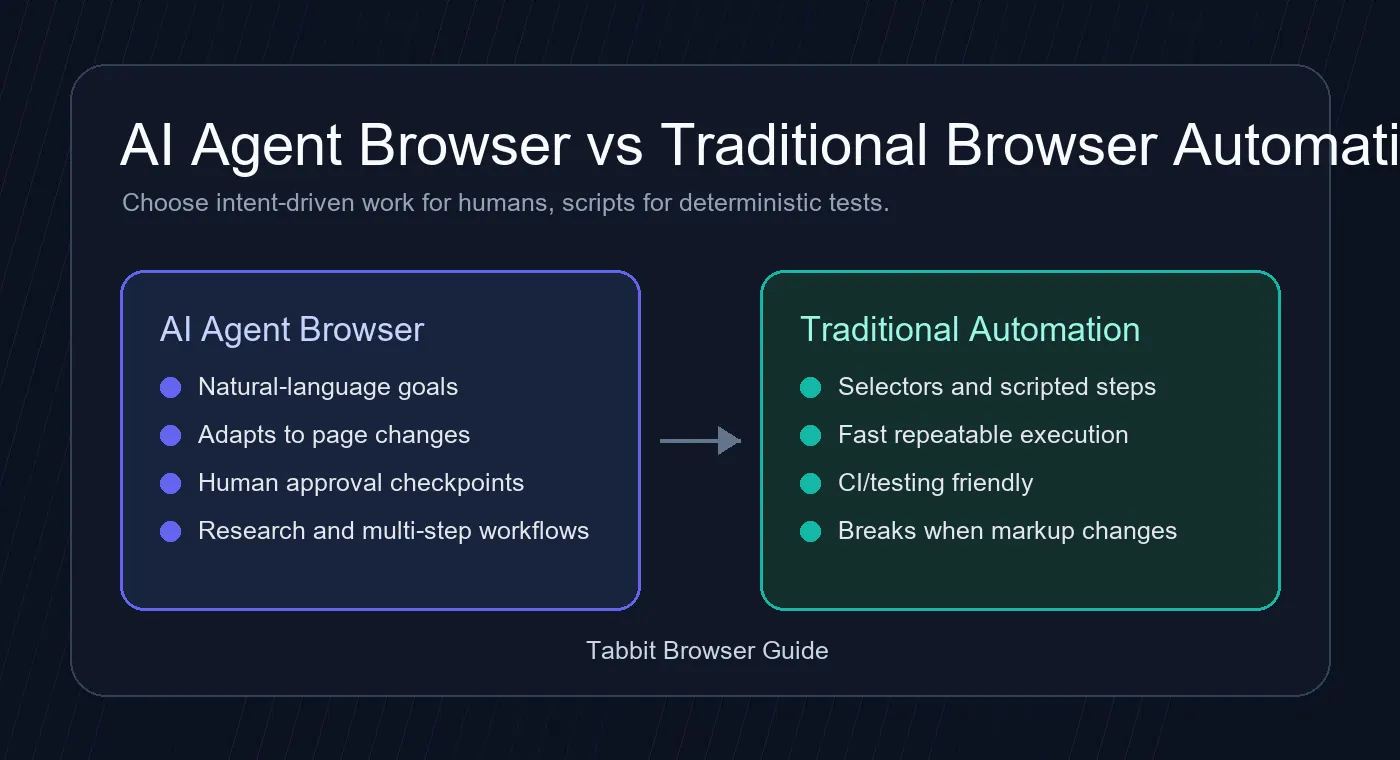
The Short Answer
Use an AI agent browser when the job is described as a goal: research these pages, compare options, summarize findings, fill a workflow after checking context, or move through a site that may change. The agent can interpret page content, decide the next step, and ask for approval when the action matters.
Use traditional browser automation when the task is already a fixed recipe: click this selector, submit this form, test this checkout path, capture this screenshot, or repeat the same browser flow in CI. Tools such as Playwright, Puppeteer, and Selenium are faster, easier to version, and more predictable when the page structure is known.
For many teams, the strongest setup is hybrid. A browser automation script handles stable login, testing, and extraction steps, while an AI agent browser handles ambiguous research, exception review, and cross-site work that would be expensive to hard-code.
AI Agent Browser vs Browser Automation
The distinction is not whether software can click a page. The real difference is whether the workflow is goal-driven or script-driven.
| Decision factor | AI agent browser | Traditional browser automation | Best fit |
|---|---|---|---|
| Input style | Natural language instructions such as research a vendor list, collect prices, or summarize competitor pages. | Code, selectors, fixtures, assertions, and repeatable scripts. | Agent browser for flexible tasks; automation for exact flows. |
| Page changes | Can often recover when layout or wording changes because it reads visible context. | Can fail when selectors, DOM structure, or timing assumptions change. | Agent browser for volatile sites; automation for stable apps. |
| Speed and cost | Usually slower because it reasons between steps and may call AI models. | Fast and cheap once scripted, especially in CI and batch jobs. | Automation for high-volume repetition. |
| Reliability | Needs constraints, approvals, and review for sensitive actions. | Deterministic when tests and selectors are maintained. | Automation for compliance-grade repeatability. |
| Best tasks | Research, comparison, summarization, multi-step operations, and exception handling. | Regression tests, scraping fixed pages, form checks, screenshot generation, and monitoring. | Choose by ambiguity, not by hype. |
When an AI Agent Browser Makes Sense
An agent browser is strongest when the instruction has intent but the path is not perfectly known in advance.
Research and comparison
Ask the browser to inspect several pages, extract tradeoffs, and produce a structured summary. This is useful for vendor checks, market scans, documentation review, and early SEO research.
Messy operational workflows
When a workflow includes conditional screens, changing copy, or manual judgment, an agent browser can read context before acting instead of blindly following a brittle selector sequence.
Human-in-the-loop actions
For payments, account changes, publishing, or data submission, the agent should pause for confirmation. That makes it a fit for assisted work rather than fully unsupervised execution.
How to Choose the Right Approach
Use this simple decision path before you build a browser workflow.
Define the outcome
If you can write the outcome in natural language but cannot list exact clicks yet, start with an AI agent browser. If you can describe every step and selector, automation is likely enough.
Estimate repetition
High-frequency jobs favor traditional automation because the script cost is paid once. Low-frequency or constantly changing jobs often justify agent reasoning.
Mark risky actions
Any workflow that spends money, changes account state, publishes content, or touches private data should include explicit review checkpoints, regardless of the tool.
Consider a hybrid
Use scripts for stable parts such as login, navigation, and screenshots. Use an agent browser for interpretation, exception handling, and cross-page decisions.
Limits You Should Not Ignore
AI agent browsers are useful, but they do not remove the need for product, security, and QA discipline.
Latency
Agent workflows can be slower than scripts because each step may require page reading, model reasoning, and safety checks.
Data handling
Avoid sending sensitive page content to tools or models unless your organization has approved the data path and retention policy.
Testing still matters
Even if an agent can adapt, critical workflows should still have repeatable tests, logs, and rollback plans.
Useful References
These sources help separate agent browsing from conventional browser automation and testing terminology.
Try a Browser Built Around AI-Agent Workflows
Tabbit Browser is designed for AI-assisted browsing, research, and task execution. Use the download page to check system requirements and install the current Windows or macOS build.
FAQ
Short answers for people comparing AI browser agents, browser automation, and testing tools.
Is an AI agent browser the same as Playwright or Puppeteer?
No. Playwright and Puppeteer are scripted browser automation libraries. An AI agent browser uses AI reasoning to interpret pages and choose actions toward a goal. They can complement each other, but they are not the same category.
When should I choose an agent browser vs Playwright?
Choose an agent browser when the task is ambiguous, research-heavy, or likely to change. Choose Playwright when the flow is deterministic, repeated often, and needs strong test reliability.
Can an AI agent browser replace QA automation?
It can assist QA work, but it should not replace deterministic regression tests for core flows. Stable tests, logs, and assertions remain important for releases.
Are AI browser agents safe for sensitive tasks?
They can be used safely only with clear permission boundaries, data-handling rules, and human approval for risky actions such as payments, account updates, publishing, or private-data workflows.
What is the best AI browser for automation?
The best fit depends on the workflow. If you need goal-driven research and assisted task execution, look for an AI-native browser with agent controls. If you need high-volume scripted execution, a traditional automation framework may be the better core tool.