AI browser comparison 2026
Best AI Browsers in 2026: Which One Fits Your Workflow?
The best AI browser is not always the one with the loudest chatbot. In 2026, the useful choice depends on whether you need research answers, autonomous tasks, private page summaries, tab context, writing help, or a browser built around AI-agent work.
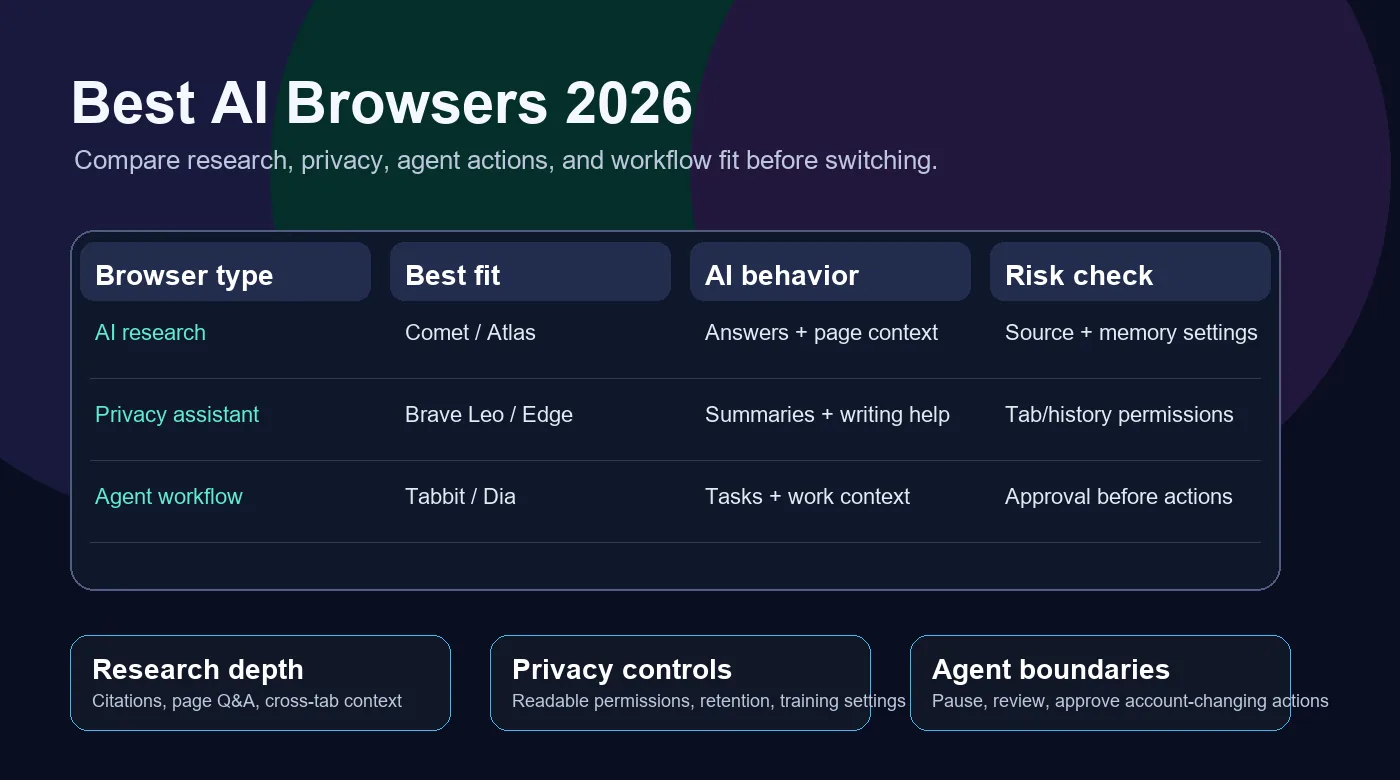
The Short Answer
If you want the strongest everyday AI research browser, start with Perplexity Comet. It is built around answer-first browsing, page understanding, and cross-tab research, so it fits users who search, compare, summarize, and collect sources throughout the day.
If you already work deeply inside ChatGPT, ChatGPT Atlas is the natural AI-native option because ChatGPT lives directly in the browsing surface and can use page context. It is best for people who want their existing assistant to follow them into web research, although platform availability and workspace controls should be checked before standardizing it for a team.
If privacy is the deciding factor, Brave Leo is the safest first recommendation. It is less ambitious as an autonomous browser agent, but it gives users a built-in AI assistant with a privacy-first posture, page summaries, and multi-model assistance without forcing a full switch into a new experimental browser.
If you want a browser designed for AI-agent workflows rather than only a side-panel assistant, Tabbit Browser is the page's relevant alternative. Tabbit focuses on background task execution, natural-language automation, multi-model AI access, and workflow productivity. It belongs in the shortlist when your goal is not just reading the web faster, but delegating repeatable browser tasks.
Best AI Browsers Compared
This ranking groups browsers by practical fit, not hype. Use it as a starting point, then verify the latest pricing, platform support, and data controls on each official site.
| Browser | Best for | AI strength | Watch out for |
|---|---|---|---|
| Perplexity Comet | Research-led users who want answers, citations, page Q&A, and cross-tab context in one daily browser. | Strong answer engine, contextual assistant, and research workflow. The browser is positioned around doing work with the current page instead of only opening a chatbot. | Confirm current free-tier limits, enterprise controls, and privacy settings before using it with sensitive accounts. |
| ChatGPT Atlas | ChatGPT-first users who want the assistant embedded into the browser and available while reading, comparing, or acting on pages. | Deep ChatGPT integration, page understanding, and agent-style browsing for people already invested in the OpenAI ecosystem. | Check current platform support, workspace policy, browser memory settings, and approval checkpoints for actions. |
| Dia | Knowledge workers who want a calm AI-native browser for tabs, writing, briefings, and work context. | Work-context features such as proactive suggestions, tab-aware answers, reports, and a design-led browsing experience. | It is still a newer browser category. Validate team features, import/export needs, and long-term fit before replacing a mature browser. |
| Brave Leo | Privacy-conscious users who want AI summaries and answers without moving into an aggressive agent browser. | Browser-native AI assistant with a privacy-first product posture, page summaries, writing help, and access to multiple models. | Less suited to autonomous multi-step work than agent-first browsers. It is better for assistance than delegation. |
| Microsoft Edge Copilot | Windows and Microsoft 365 users who want browser AI connected to work documents, PDFs, tabs, and enterprise tooling. | Copilot in Edge can summarize pages, support research, and use broader Microsoft context when permissions allow. | The best experience depends on Microsoft account, region, admin policy, and whether users are comfortable with tab and history context. |
| Tabbit Browser | Users who want an AI-agent browser for background tasks, no-code automation, research reports, and multi-model workflows. | Natural-language task execution, intelligent tab groups, background agents, and practical workflow automation rather than only passive summaries. | As with any agent browser, set boundaries for private data, approvals, downloads, and account-changing actions. |
How to Choose the Best AI Browser
Start with the job you need the browser to do. The right browser for research is not always the right browser for automation, privacy, or enterprise deployment.
Choose research depth first
If your day is mostly search, reading, summarizing, and source comparison, prioritize citation quality, page Q&A, cross-tab memory, and how clearly the browser separates facts from generated text. Comet, Atlas, and Tabbit are the strongest fits for research-heavy work.
Separate assistance from agent actions
A sidebar that summarizes a page is useful, but it is not the same as an agent that can navigate, fill forms, or prepare tasks. If you need true task execution, look for approval controls, activity logs, and the ability to pause or review browser actions.
Match the browser to your data risk
Personal research can tolerate more experimentation than account administration, customer data, or finance work. For sensitive workflows, prefer privacy-forward defaults, enterprise admin controls, explicit permissions, and a browser that lets you turn page access off.
Privacy and Safety Checks Before You Switch
AI browsers can read page content, summarize private tabs, or perform actions. Treat that power as a workflow design decision, not just a feature.
Check whether page reading is opt-in
Before using an AI browser for work, confirm when the assistant can read the current page, open tabs, history, documents, or account context. Prefer tools that make permission boundaries visible.
Require approval for risky actions
Buying, publishing, deleting, sending email, changing account settings, and submitting forms should require a human checkpoint. The best AI browser for automation is the one that makes review easy.
Review retention and training settings
Look for data controls covering chat history, browser memory, enterprise retention, model training, and whether prompts or page contents are stored. Do not assume every AI browser uses the same policy.
Test with a repeatable workflow
Try one real workflow in each candidate browser: summarize a long article, compare three vendor pages, draft a response, and run a safe multi-step task. The best browser becomes obvious when latency, accuracy, and recovery behavior are visible.
Official Product Sources to Recheck
AI browser features change quickly. Use these official pages to confirm platform support, feature limits, pricing, and privacy controls before adopting any browser.
Try an AI Browser Built for Workflow Delegation
Tabbit Browser is designed for AI-assisted browsing, task execution, research, and no-code automation. Compare the category, then download Tabbit when you want a browser that can help do the work.
FAQ
Short answers for people comparing AI browsers, AI web browsers, and agent browsers.
What is the best AI browser in 2026?
For most research-heavy users, Perplexity Comet is the strongest default. For ChatGPT-first users, ChatGPT Atlas is the natural fit. For privacy, Brave Leo is safer. For AI-agent workflows and background task execution, Tabbit Browser deserves a place on the shortlist.
Is an AI browser different from a browser with an AI sidebar?
Yes. A browser with an AI sidebar can summarize, answer, or draft text. An AI-native or agent browser can use page context more deeply and may perform multi-step actions. The difference matters when the browser is expected to act, not just explain.
Are AI browsers safe for work accounts?
They can be safe only when permissions, retention, training, and action approvals match your organization's risk level. Do not give an AI browser access to private dashboards, customer data, payment tools, or admin panels until those controls are clear.
Which AI browser is best for Windows?
Edge Copilot is the easiest Windows-native option. Comet, Dia, Brave, Opera, and Tabbit are also relevant depending on platform availability and feature needs. Always confirm the latest installer and supported operating systems on the official source.
Should I replace Chrome with an AI browser?
Replace your default browser only after testing your real workflows. Many users keep Chrome or Edge for stable accounts and use an AI browser for research, writing, comparison, and task automation until the new browser proves reliable.