
What agentic browsing means
In product language, agentic browsing is web use where an AI receives a goal, inspects pages, chooses the next step, and may search, click, type, compare, summarize, or move information between services. The user specifies the outcome rather than every selector and keystroke.
The phrase is broader than an agentic browser. A dedicated AI browser is one product type; the same behavior can run through an extension, cloud browser, or automation framework connected to a language model. Responsible systems pause before purchases, messages, account changes, or private-data access.
Goal-driven
The user describes an outcome instead of a fixed click sequence.
Adaptive
The agent interprets page state and chooses the next action.
Tool-using
It can search, read, type, click, download, and organize.
Reviewable
Sensitive actions expose checkpoints, logs, and recovery options.
What Lighthouse Agentic Browsing checks
Lighthouse 13.3 added an Agentic Browsing category to evaluate whether a page is understandable and operable by browser agents. It does not measure how intelligent an AI model is; it tests the semantic cues exposed through the DOM and accessibility tree.
Typical failures are also human usability failures: unlabeled controls, vague links, incorrect heading order, dialogs without accessible names, buttons with no purpose, or custom widgets that hide state. Fixing these signals supports agents, keyboard users, and assistive technology.
| Audit area | What an agent needs | Practical fix |
|---|---|---|
| Headings | A clear document outline | Use one descriptive H1 and logical H2/H3 nesting |
| Forms | Names, roles, and instructions | Connect labels and expose validation messages |
| Links and buttons | Specific action or destination | Replace vague text and name icon-only controls |
| Dialogs | Recognizable modal context | Add accessible names, focus handling, and close controls |

Why it appears in PageSpeed Insights
PageSpeed Insights uses Lighthouse, so reports can surface the category when the deployed Lighthouse version includes it. This does not mean Google has announced a direct Agentic Browsing ranking factor. It is diagnostic guidance, not a promise of higher rankings.
The category still matters because browsers, assistants, and research tools increasingly consume structured pages. Clear HTML, accessible names, descriptive headings, and stable states reduce ambiguity while supporting accessibility, crawlability, and conversion.
How to run and interpret the audit
Run Lighthouse from Chrome DevTools, PageSpeed Insights, or the command line. Test the exact page state an agent needs and record the Lighthouse version because audit availability and scoring can change.
Review each failed element in context. Prefer native HTML, visible instructions, and established accessibility patterns. Then validate keyboard navigation and at least one realistic browser-agent task instead of relying on the numeric score alone.
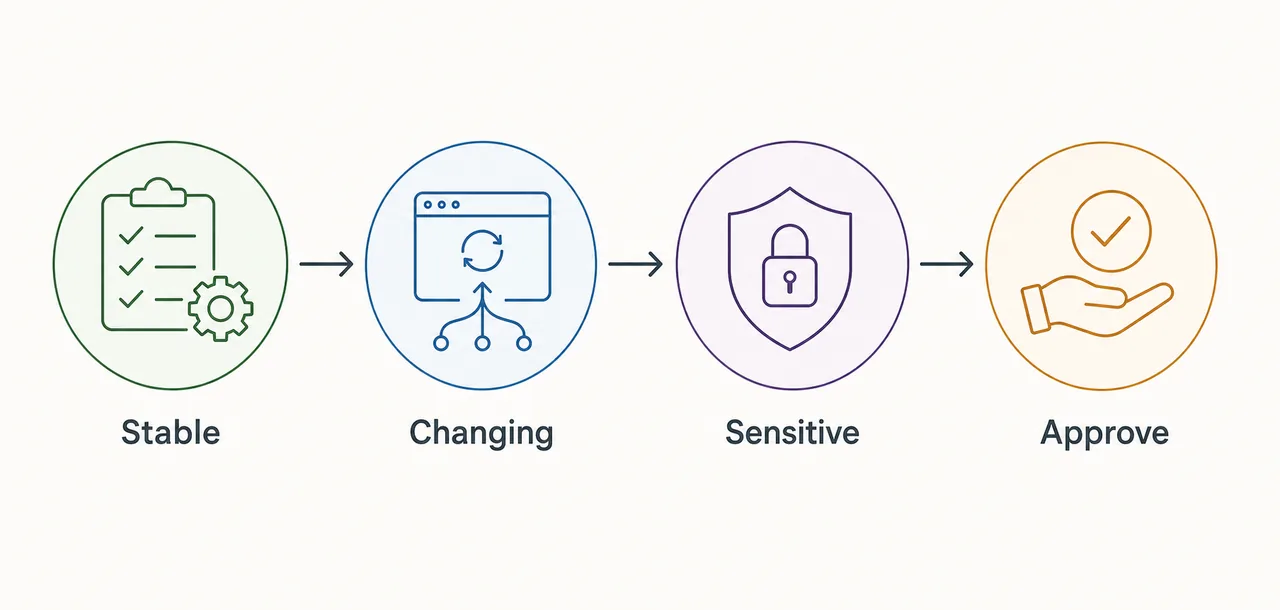
- Open the target stateNavigate to the exact page and UI state an agent must understand.
- Run LighthouseUse a current build and note its version.
- Repair semanticsFix labels, names, roles, headings, feedback, and focus behavior.
- Retest behaviorConfirm the audit, keyboard flow, and real task improve.
Does agentic browsing affect SEO or AI visibility?
There is no evidence that the Lighthouse score itself is a direct Google Search ranking factor. However, the fixes overlap with strong technical SEO and accessibility: crawlable text, descriptive headings, meaningful links, labeled controls, and clear page states.
Put the main answer in server-rendered HTML, keep essential instructions outside images, use descriptive anchors, and make forms understandable without placeholder-only labels. Avoid hidden machine-only summaries and keyword blocks.
New page
The definition and Lighthouse audit intent justify this dedicated explainer.
Existing comparison
Best-agentic-browser pages should stay focused on product selection.
FAQ support
PageSpeed, ranking-factor, and Chrome questions belong as supporting answers.
Internal anchors
Use natural anchors such as agentic browsing meaning or Lighthouse audit.
A practical website checklist
Start with native HTML. A real button is easier to understand than a clickable div. Give every form control a persistent label, keep heading levels logical, describe link destinations, and announce asynchronous status changes.
Test the task, not only the score. Ask whether an agent can identify the primary action, distinguish safe from destructive actions, understand validation errors, and confirm completion. If a human cannot predict the next step, an agent will struggle too.
| Priority | Check | Acceptance test |
|---|---|---|
| High | Primary actions have clear names | Result is predictable before clicking |
| High | Inputs have labels and errors | Purpose and correction are available in the DOM |
| High | Sensitive actions require confirmation | Purchases, sends, deletes, and account edits pause |
| Medium | Status changes are announced | Loading, success, and failure are machine-readable |
How an agentic browsing workflow reaches a checked result
A useful task starts with an outcome and a boundary. “Compare three public pricing pages and draft a sourced summary” gives an agent room to research, while making clear that it should not create accounts, accept terms, or buy a plan. The user can review the cited pages before acting on the comparison.
The agent observes the page, chooses one step, and checks what changed. It might open a source, locate a published price, record the date and plan conditions, then repeat the same process on another site. After navigation or a form error, it can retry a harmless step; if a page asks for an identity, payment, or policy decision, it should stop for review.
A trustworthy result preserves provenance. It links to the pages it actually read, separates quoted facts from its own comparison, and identifies missing or region-specific information. A price behind a login or a field that cannot be verified should remain unknown rather than being filled with a plausible guess.
- Set scopeName the outcome, permitted sites, data to collect, and actions that require approval.
- ObserveRead the current page and available controls before deciding what to do next.
- Check each actionConfirm the page reached the expected state and keep the source beside each finding.
- Review the resultCheck citations, uncertainty, and proposed changes before anything is submitted or shared.
Permissions, untrusted pages, and stop conditions
Agentic browsing is not simply page summarization. It combines observation with browser actions across several steps. It also differs from a fixed automation script: a script follows selectors and rules chosen in advance, while an agent may choose a next step from the page it sees. Practical systems often combine both so repeatable actions stay testable and unfamiliar pages can be interpreted.
Use the least access needed for the task. Keep experiments separate from banking, administration, customer records, and private email; do not paste credentials into an instruction. Ask for confirmation before sending a message, submitting a form, downloading an executable, making a purchase, changing access, or publishing content. Logs should show what the agent read and changed.
A page can contain misleading instructions, stale information, or a request outside the user's goal. Treat page content as untrusted input: it must not silently expand the agent's permissions. Stop when the destination changes unexpectedly, evidence conflicts, sensitive data appears, or the result cannot be checked. A short explanation and a question are safer than an unverified action.
Agentic browsing FAQ
Quick answers about the definition, Lighthouse, PageSpeed, and SEO.
What is agentic browsing in simple terms?
It is browsing where an AI agent reads pages and chooses actions to reach a goal instead of following only a fixed script.
What is Agentic Browsing in PageSpeed Insights?
It is a Lighthouse best-practices category that checks whether page structure and controls are understandable to browser agents.
Is Agentic Browsing a ranking factor?
No direct ranking factor has been announced. Treat the score as diagnostic guidance.
How is it different from browser automation?
An agent adapts steps to a goal and changing context; traditional automation follows a predefined script.
Primary sources
- Chrome for Developers: Agentic browsing audits — Official Lighthouse audit documentation.
- Chrome DevTools: Lighthouse 13.3 — Official release context.
- GoogleChrome/lighthouse — Primary-source implementation.